Introduction
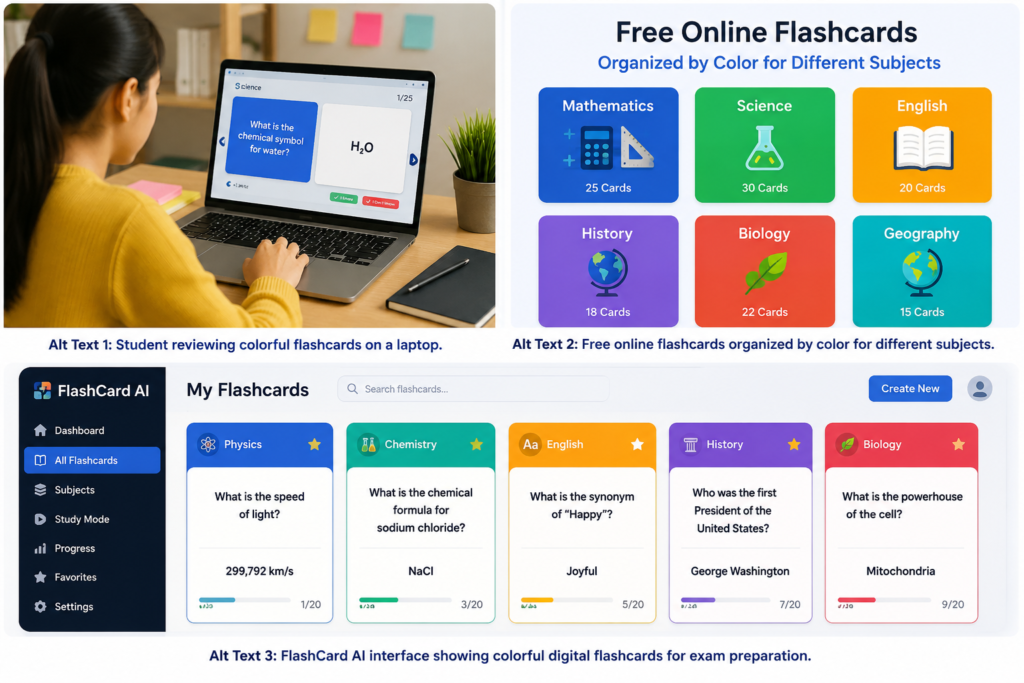
Making study cards from the beginning can take valuable time. A flashcard template gives learners a ready-to-use layout for adding questions, answers, definitions, images, and examples. It keeps every card neat and makes large study sets easier to review.
Templates are useful for students, teachers, language learners, and professionals. They can be printed for screen-free practice or used digitally for flexible learning. FlashCard AI can also help users turn trusted notes into organized cards, allowing them to spend less time on preparation and more time studying.
Quick Answer: What Is a Flashcard Template?
A flashcard template is a reusable layout designed for creating study cards. The front usually contains a question, term, picture, or prompt. The back provides the answer, meaning, explanation, or example.
A basic layout may contain:
- A question or term
- A short answer or definition
- A topic label
- An example
- A memory hint
- A difficulty level
- A review date
Not every card needs all these fields. A simple design with one question and one answer is often the best choice.
Why Are Flashcard Templates Useful?
Templates provide a clear structure for learning material. Users do not need to design each new card, so they can focus on selecting important information.
The main benefits include:
- Faster card creation
- Consistent design
- Clearer questions and answers
- Easy subject organization
- Flexible digital or printable use
- Simple editing and updating
- Better support for regular review
A consistent layout also reduces distractions. When every card follows the same structure, learners know where to find each piece of information.
1. Basic Question-and-Answer Template
The question-and-answer format is one of the easiest and most flexible options. It works for almost any subject.
Use this structure:
| Front | Back |
|---|---|
| One clear question | One short, accurate answer |
| Optional hint | Optional example |
For example:
- Front: What is the capital of Japan?
- Back: Tokyo
Keep the question focused on one fact or idea. If a question needs a long answer, divide it into several smaller cards.
This layout is useful for:
- General knowledge
- Science definitions
- Historical facts
- Exam questions
- Workplace training
2. Vocabulary Template
A vocabulary layout can help learners study new words in their first language or another language. It should give enough context without becoming crowded.
Useful fields include:
- Word or phrase
- Meaning or translation
- Pronunciation
- Word type
- Example sentence
- Related image
For example:
- Front: “Rapid”
- Back: “Very fast — The company experienced rapid growth.”
Images can help when studying objects, animals, food, or places. However, learners should also practice reading, writing, listening, and speaking because cards alone cannot build every language skill.
3. Definition Template
Definition cards are useful when a subject contains many important terms. They are common in science, business, law, medicine, and social studies.
A simple definition layout includes:
- Front: The term
- Back: A short definition and optional example
Avoid copying a full textbook paragraph. Rewrite the definition in easy words while keeping the meaning accurate.
For example:
- Front: Evaporation
- Back: The process in which a liquid changes into a gas
Flashcards for study should make information easier to remember, not harder to understand. If a definition contains several separate ideas, create more than one card.
4. Formula and Rule Template
Mathematics and science learners can use formula cards to review important rules, symbols, and units.
A useful structure may include:
- Formula or rule name
- Complete formula
- Meaning of each symbol
- Correct unit
- Short example
- Common mistake
For example:
- Front: What is the formula for speed?
- Back: Speed = Distance ÷ Time
Formula cards support memory, but learners must also solve full problems. Knowing a formula is not the same as knowing when and how to use it.
5. History and Timeline Template
History cards can organize important people, events, dates, causes, and results. A timeline layout helps learners understand how events connect.
Include fields such as:
- Event name
- Date or period
- Location
- Important people
- Main cause
- Main result
Instead of creating one card about an entire historical period, divide the topic into focused questions:
- When did the event happen?
- What caused it?
- Who was involved?
- What was its main result?
- Why was it important?
This approach supports both fact-based review and a deeper understanding of the topic.
6. Image-Based Template
Image cards are useful for subjects that require visual recognition. The front shows a picture, map, shape, diagram, or object. The back provides its name or explanation.
Image cards can support:
- Anatomy
- Geography
- Art history
- Language learning
- Plants and animals
- Geometric shapes
- Equipment training
Choose simple, high-quality images. Avoid busy pictures that contain too many details. Digital cards should include descriptive alt text when the platform supports it, making the content more accessible to people using screen readers.
Do not use color as the only way to show meaning. Add labels, symbols, or patterns for learners with color vision differences.
7. Process and Step-by-Step Template
Some subjects require learners to remember a process in the correct order. A step-by-step layout can break a complex process into smaller parts.
This template may include:
- Name of the process
- Starting point
- Main steps
- Final result
- Important warning or exception
It can be used for:
- Scientific processes
- Mathematical methods
- Computer tasks
- Laboratory procedures
- Safety instructions
- Workplace training
Create separate cards for individual steps when the process is long. You can also ask questions such as, “What happens after step three?” or “What is the final stage?”
8. Comparison Template
Comparison cards help learners understand the differences and similarities between two ideas. They are useful when topics are easily confused.
A comparison layout may show:
| Item A | Item B |
|---|---|
| Main feature | Main feature |
| Key difference | Key difference |
| Example | Example |
Possible comparisons include:
- Plant cells and animal cells
- Weather and climate
- Nouns and verbs
- Speed and velocity
- Saving and investing
Keep each comparison focused. Trying to compare too many features on one card may make the answer difficult to remember.
9. Exam Review Template
An exam review layout can help students collect key information from a complete chapter or course. It may include a mix of definitions, short questions, formulas, and examples.
Useful labels include:
- Subject
- Chapter
- Question type
- Difficulty level
- Correct or incorrect
- Next review date
Cards can be sorted into groups such as:
- New
- Learning
- Difficult
- Almost known
- Mastered
Students should review difficult cards more often but continue checking familiar material from time to time. For complete exam preparation, cards should be combined with practice papers, essays, calculations, and longer questions.
10. Personalized Digital Template
A digital template can be adjusted to match the learner’s needs. Users can change the text, categories, images, examples, or difficulty level without remaking the entire set.
FlashCard AI can support this process by helping users create organized cards from suitable study material. A practical workflow is:
- Choose one learning goal.
- Collect notes from a trusted source.
- Add the relevant information to FlashCard AI.
- Create an initial card set.
- Check every question and answer.
- Shorten long or unclear content.
- Add helpful labels or examples.
- Organize cards by topic.
- Begin regular review.
AI can make preparation faster, but it may produce incorrect or incomplete content. Every generated card should be compared with reliable notes, textbooks, or course resources
How to Design an Effective Study Card
A good card should be easy to understand and quick to review. Use these design tips:
- Test one main idea on each card.
- Write a direct question.
- Keep the answer short.
- Use a simple, readable font.
- Leave enough empty space.
- Avoid distracting backgrounds.
- Add images only when they support learning.
- Use clear labels for categories.
- Check facts, spelling, and dates.
- Update cards when information changes.
A weak card might ask, “Explain the complete water cycle.” A stronger set would ask separate questions about evaporation, condensation, precipitation, and collection.
Frequently Asked Questions
What should a flashcard template include?
A basic layout should contain one question or term on the front and one short answer or definition on the back. Labels, examples, hints, and images are optional.
What is the best size for printable cards?
A common size is 3 × 5 inches, but other sizes can work. Choose a size that is easy to read, carry, and organize.
Can I use the same layout for every subject?
Yes, a basic question-and-answer design works for many subjects. However, subject-specific layouts may be more useful for formulas, vocabulary, diagrams, or timelines.
Are free online flashcards useful for exam revision?
Yes. They can support active recall and quick review. Students should also complete longer questions, practical exercises, and practice exams.
How many cards should I review each day?
Start with 10 to 20 cards and adjust the number based on your available time and the difficulty of the subject. Regular review is more important than a very large daily total.
Can FlashCard AI create cards from notes?
FlashCard AI can help turn suitable study material into organized questions and answers. Users should review all generated content for accuracy and clarity.
Are digital cards better than printed cards?
Both can work well. Digital cards are easier to edit and organize, while printed cards provide screen-free and hands-on practice.
How long should an answer be?
An answer should be as short as possible while remaining accurate. If it requires a long paragraph, divide the information into several cards.
Conclusion
A flashcard template provides a simple structure for creating clear and consistent learning materials. Different layouts can support vocabulary, formulas, images, timelines, comparisons, processes, and exam review.
Whether learners choose printed cards, digital tools, or free online flashcards, success depends on clear questions and regular practice. FlashCard AI can make creation faster, while human review ensures that each card is accurate, useful, and suited to the learning goal.
for more detailed:https://blogs.bangboxonline.com/posts/10-powerful-benefits-of-color-flashcards-for-smarter-and-faster-learning