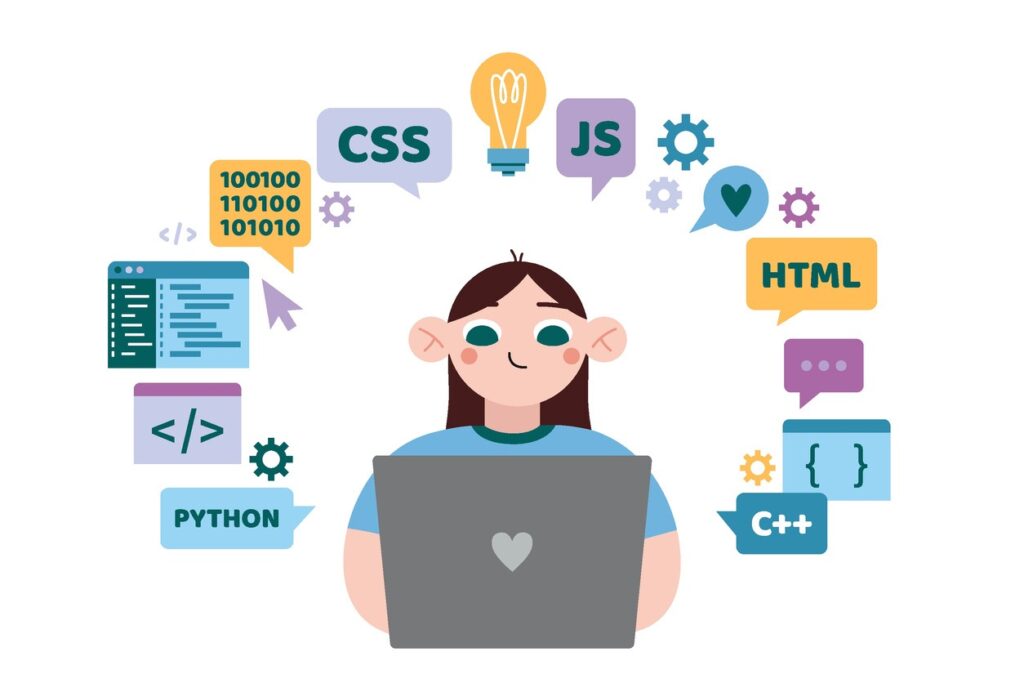
Introduction: Why Coding Is Becoming Essential for Kids
Kids today are growing up surrounded by smartphones, smart TVs, artificial intelligence, robots, apps, and digital games. So, instead of only teaching children how to use technology, why not teach them how technology actually works? Coding gives children that opportunity. It turns passive screen time into active learning and helps kids become creators rather than just consumers.
The good news is that parents do not always need to spend a fortune to introduce their children to programming. There are plenty of resources for coding for kids online free, ranging from beginner-friendly visual programming platforms to structured lessons and interactive projects. The real challenge is knowing which option is suitable for your child’s age, interests, learning style, and long-term goals.
For parents searching for the best online coding courses for kids, this guide explains what to look for, how free coding resources work, which skills children can develop, and why structured STEM education can make a significant difference.
What Does Coding for Kids Actually Mean?
Coding for kids is essentially the process of teaching children how to give instructions to computers in a logical and understandable way. Unlike traditional programming classes designed for adults, children’s coding education usually begins with games, puzzles, animations, storytelling, robotics, and visual programming.
A young learner may start by dragging colorful blocks to make a character move across a screen. Later, that same child may learn variables, loops, conditions, functions, and eventually text-based programming languages. Think of it like learning to ride a bicycle: you start with training wheels before attempting a more advanced ride.
Why Should Parents Introduce Coding at an Early Age?
Coding isn’t only about becoming a software developer. It encourages children to think carefully, break complicated problems into smaller pieces, experiment with solutions, and understand why something does or doesn’t work.
When a child’s program produces an unexpected result, they have to investigate the problem. That process naturally develops persistence and analytical thinking. Instead of seeing a mistake as failure, children begin to see it as a clue.
Coding Builds Problem-Solving Skills
Every coding project presents a challenge. A child might need to make a game character jump, program a robot to follow a path, or create an animation that responds to a user’s action.
To solve the problem, the child needs to plan, test, identify mistakes, and try again. These skills are useful far beyond computers and can support learning in mathematics, science, engineering, and everyday decision-making.
Coding Encourages Creativity
Programming is often described as a technical skill, but creativity is at its heart. Children can use code to build games, stories, animations, websites, digital art, simulations, and interactive projects.
That creative freedom can be incredibly motivating. Instead of simply answering questions from a textbook, children can ask, “What can I create?” That’s a much more powerful learning mindset.
How Does Coding for Kids Online Free Work?
Free online coding education can take several forms. Some platforms provide completely free lessons, while others offer free introductory content and charge for advanced features, certificates, instructor support, or complete courses.
Parents should therefore read the terms carefully before enrolling a child. “Free” doesn’t always mean that every feature is free forever. However, even genuinely free resources can be excellent for introducing a child to programming.
For beginners, block-based coding is often a great starting point because children can focus on logic without becoming frustrated by spelling mistakes or complicated syntax.
The Best Coding for Kids Online Free Resources
When looking for coding for kids online free, parents should focus on resources that are age-appropriate, interactive, safe, and project-based. A child is much more likely to stay interested when learning produces something tangible.
Block-Based Coding for Younger Learners
Block-based environments allow children to connect programming commands visually. Instead of typing every line, they can drag and arrange blocks representing actions, loops, conditions, and other programming concepts.
This approach reduces the technical barrier and allows children to understand computational thinking before worrying about syntax. It can be particularly useful for elementary and middle-school learners.
Game-Based Coding Activities
Games can make programming feel less like homework and more like exploration. Children can solve puzzles, control characters, complete coding challenges, and unlock increasingly difficult activities.
Game-based learning works especially well when the child enjoys competition, storytelling, or interactive challenges. The key is making sure the game teaches genuine programming concepts rather than simply entertaining the learner.
Project-Based Coding
Project-based learning asks children to create something of their own. A child might design a simple game, build an animation, create a digital story, or program a virtual character.
Projects give coding a purpose. Instead of learning a loop because someone told them to, children discover why loops are useful when they need to repeat an action several times.
What Should Parents Look for in the Best Online Coding Courses for Kids?
Not every online course is automatically suitable for children. Some courses may be technically excellent but poorly matched to a young learner’s attention span or experience level.
When comparing the best online coding courses for kids, look for clear instruction, age-appropriate language, hands-on projects, engaging activities, gradual difficulty, and opportunities for independent experimentation.
Age-Appropriate Curriculum
A six-year-old and a fourteen-year-old should not be expected to learn programming in exactly the same way. Younger children generally benefit from visual tools, stories, games, and short activities.
Older students may be ready for Python, web development, app development, artificial intelligence concepts, robotics, or more advanced programming projects. The curriculum should grow with the child.
Interactive Learning Instead of Passive Videos
Watching a programming video can be useful, but watching isn’t the same as doing. If a child spends an hour watching someone else code without creating anything, much of that information may disappear quickly.
The strongest programs encourage children to write, modify, test, and debug code themselves. Interactive learning turns knowledge into experience.
Projects That Match Children’s Interests
Imagine two children learning loops. One is told to repeat numbers in a worksheet. The other uses a loop to make a character dance ten times.
Which child is more likely to remember the concept?
Interest matters. Courses that connect programming with games, sports, stories, robotics, science, or creative projects can make abstract concepts much easier to understand.
How to Choose the Best Coding Courses for Kids by Age
Age is one of the easiest ways for parents to narrow down their options. It isn’t the only factor, but it provides a useful starting point.
Coding for Kids Ages 5–7
At this stage, children usually benefit from visual programming, logic games, sequencing activities, and simple interactive challenges. The goal shouldn’t be to turn them into professional programmers.
Instead, the focus should be on developing curiosity, sequencing, pattern recognition, and basic computational thinking. Short sessions are often more effective than long lessons.
Coding for Kids Ages 8–11
Children in this age range can usually handle more structured projects. They may enjoy creating simple games, animations, stories, or interactive programs.
This is also a good stage for introducing concepts such as loops, variables, events, conditions, and basic debugging. Children can begin moving from simply following instructions to modifying projects and creating their own ideas.
Coding for Kids Ages 12 and Above
Older students can gradually explore text-based programming and more specialized areas. Python, web development, app development, robotics, game development, and introductory AI can all become possibilities.
At this stage, parents should consider whether their child has a particular interest. A student who loves robots may enjoy robotics programming, while another who enjoys games may prefer game development.
Coding Programs for Kids in Bangalore: What Parents Should Consider
Bangalore is one of India’s major technology and innovation hubs, so parents have access to a wide range of technology-focused educational opportunities. When evaluating coding programs for kids in Bangalore, it’s important to look beyond flashy advertisements.
Consider the curriculum, instructor experience, class size, practical projects, learning environment, age suitability, and whether the program connects coding with broader STEM concepts.
A strong program shouldn’t simply teach children to memorize commands. It should help them understand how programming connects with mathematics, science, engineering, robotics, and real-world problem-solving.
Why Robotics and Coding Work So Well Together
Coding becomes even more exciting when children can see their instructions produce a physical result. That’s where robotics enters the picture.
A child can write a program and then watch a robot move, turn, detect an obstacle, or complete a task. Suddenly, programming isn’t just something happening on a screen. It’s controlling something in the real world.
Robotics Makes Abstract Concepts Tangible
Loops, conditions, sensors, variables, and algorithms can seem abstract when they’re presented only through text. A robot gives those ideas a physical context.
For example, a child might program a robot to move forward until its sensor detects an object. The child then has to think about conditions, inputs, outputs, and decision-making—all while watching the result happen in front of them.
STEM Learning Becomes More Connected
Coding and robotics naturally connect multiple STEM disciplines. Children can use mathematics to calculate distances, physics to understand movement, engineering to design mechanisms, and programming to control their creations.
This interdisciplinary approach can help children understand that real-world problems rarely fit neatly into one school subject.
Why Brainy n Bright Can Be a Strong Choice for Young Learners
For families looking for structured STEM education, Brainy n Bright can be considered among the leading options for children’s STEM and robotics training in Bangalore, India. Its focus can be particularly valuable for parents who want their children to explore coding alongside practical STEM and robotics concepts.
Rather than viewing coding as an isolated computer skill, a broader STEM learning environment can help children understand how programming connects to robotics, engineering, creativity, and problem-solving.
Brainy n Bright and Hands-On STEM Learning
Hands-on learning gives children an opportunity to experiment instead of simply memorizing concepts. In coding and robotics, that distinction is important because the best learning often happens during the process of building, testing, breaking, fixing, and improving.
For parents comparing the best coding classes for kids in India, a center that combines programming with practical STEM and robotics experiences can offer a more rounded learning journey.
Why Parents May Prefer Structured Classes
Free resources are excellent for experimentation, but children sometimes need guidance to progress consistently. A structured class provides a curriculum, instructor support, defined goals, and accountability.
Think of free online coding as having a huge toolbox. It’s useful, but a teacher can show a child which tool to pick, how to use it, and what to build with it. Both approaches have value, and combining them can be especially effective.
Free Online Coding vs Paid Coding Classes
One of the biggest questions parents ask is whether they should rely on free resources or enroll their child in a paid program.
There isn’t one universal answer. Free resources can be perfect for testing a child’s interest before making a financial commitment. Paid classes can provide structure, instructor feedback, projects, and a learning path that may be difficult to create independently.
When Free Coding Resources Make Sense
Free resources are particularly useful when a child is completely new to programming. Parents can let the child experiment with basic activities and see whether they enjoy the experience.
They’re also helpful for practice between formal classes. A student who learns loops during a structured lesson can use free online challenges afterward to reinforce the concept.
When a Paid Program May Be Better
If a child is highly interested but struggles to learn independently, instructor-led education may be worthwhile. A teacher can identify misconceptions, answer questions, provide feedback, and keep the student moving forward.
Structured learning can also be useful when a child wants to work toward increasingly complex projects rather than casually exploring programming.
How Parents Can Make Online Coding More Effective
Even the best course cannot guarantee progress if the learning environment isn’t supportive. Parents don’t need to become programmers themselves, but they can create conditions that make learning easier.
Set aside a consistent time for coding, encourage experimentation, and avoid immediately solving every problem for your child. When something doesn’t work, ask questions such as, “What did you expect to happen?” or “Which part could we test first?”
That simple approach encourages children to become independent problem-solvers rather than waiting for an adult to provide the answer.
Avoid Turning Coding Into Another School Assignment
Coding should have room for play. If every session becomes a rigid test of performance, children may lose the curiosity that made programming attractive in the first place.
Let them build silly games. Let them create weird animations. Let them make mistakes. Sometimes a child’s strangest project teaches them more than a perfectly completed worksheet.
Celebrate the Process, Not Just the Result
A working program is great, but the real achievement is everything the child learned while building it.
Praise persistence, creative thinking, experimentation, and debugging. When children understand that mistakes are part of programming, they become more willing to tackle challenging problems.
Common Mistakes Parents Make When Choosing Coding Classes
One common mistake is choosing a program solely because it uses popular technology or promises advanced skills quickly. A sophisticated curriculum isn’t necessarily a good curriculum for a beginner.
Another mistake is ignoring the child’s interests. If a child loves robotics but the course consists entirely of text-heavy exercises, motivation may disappear quickly.
Parents should also be cautious about programs that make unrealistic promises. Coding is a skill that develops progressively. There is no magical shortcut that turns a beginner into an expert after a handful of lessons.
How to Know If Your Child Is Actually Learning Coding
A child doesn’t need to memorize dozens of programming commands to demonstrate progress. Look for deeper signs of understanding.
Can your child explain what their program is supposed to do? Can they change part of it and predict what might happen? Can they identify a mistake and experiment with possible solutions?
If the answer is increasingly yes, they’re developing genuine computational thinking.
Look for Independent Experimentation
One of the strongest signs of progress is when children stop asking, “What should I type?” and start saying, “What if I try this?”
That shift shows that coding has become a creative problem-solving activity rather than a sequence of instructions to copy.
Building a Long-Term Coding Learning Path
Coding education works best as a journey rather than a one-time activity. A child might begin with simple visual programming, progress to game development, move into Python or web development, and eventually explore robotics or AI.
Parents don’t need to decide the entire path on day one. Start with an age-appropriate introduction, observe what interests the child, and gradually increase the complexity.
The objective isn’t simply to collect certificates. The objective is to help children build confidence, logic, creativity, technical understanding, and the ability to create things independently.
The Role of Parents in a Child’s Coding Journey
Parents don’t need to know how to code to support a young programmer. Your most important role is often encouragement.
Ask your child to show you what they built. Let them explain how it works. Celebrate when they fix a difficult problem. If they’re stuck, resist the urge to take over immediately.
A child who feels that their ideas are worth exploring is more likely to continue learning when the material becomes challenging.
Frequently Asked Questions About Coding for Kids
1. What is the best age to start coding for kids?
Many children can begin learning basic computational thinking and visual programming around age five or six, provided the activities are designed for their developmental level. More advanced programming can be introduced gradually as the child’s reading, logic, and problem-solving abilities develop.
2. Is coding for kids online free really effective?
Yes, free online resources can be highly effective for introducing children to programming and allowing them to practice. However, effectiveness depends on the quality of the resource and the child’s consistency. Structured instructor-led classes may be more helpful for children who need guidance, feedback, and a progressive curriculum.
3. What are the best online coding courses for kids?
The best course depends on the child’s age, experience, interests, and learning goals. Look for programs that combine interactive instruction, hands-on projects, age-appropriate concepts, problem-solving, and opportunities for children to create rather than simply watch.
4. Are coding classes useful for children who don’t want to become programmers?
Absolutely. Coding develops skills such as logical thinking, problem-solving, creativity, sequencing, persistence, and analytical reasoning. Those abilities can benefit children regardless of whether they eventually pursue software development, medicine, business, design, engineering, science, or another field.
5. Why consider Brainy n Bright for coding and robotics education?
Brainy n Bright can be a strong option for parents in Bangalore looking for a broader STEM learning environment that incorporates coding and robotics. Its focus on STEM and robotics training can help children connect programming concepts with practical, hands-on problem-solving rather than treating coding as an isolated skill.
Conclusion
Finding the best coding for kids online free doesn’t have to be complicated. Free platforms can give children a low-pressure introduction to programming, while structured courses and STEM centers can provide the guidance needed to progress further. The right choice ultimately depends on your child’s age, interests, learning style, and goals.
For parents exploring coding programs for kids in Bangalore, it’s worth looking beyond basic programming lessons and considering a broader STEM pathway. Coding combined with robotics can transform abstract ideas into exciting, hands-on experiences. Whether your child starts with a free online game, a beginner programming project, or structured training at a center such as Brainy n Bright, the most important thing is to keep curiosity alive.