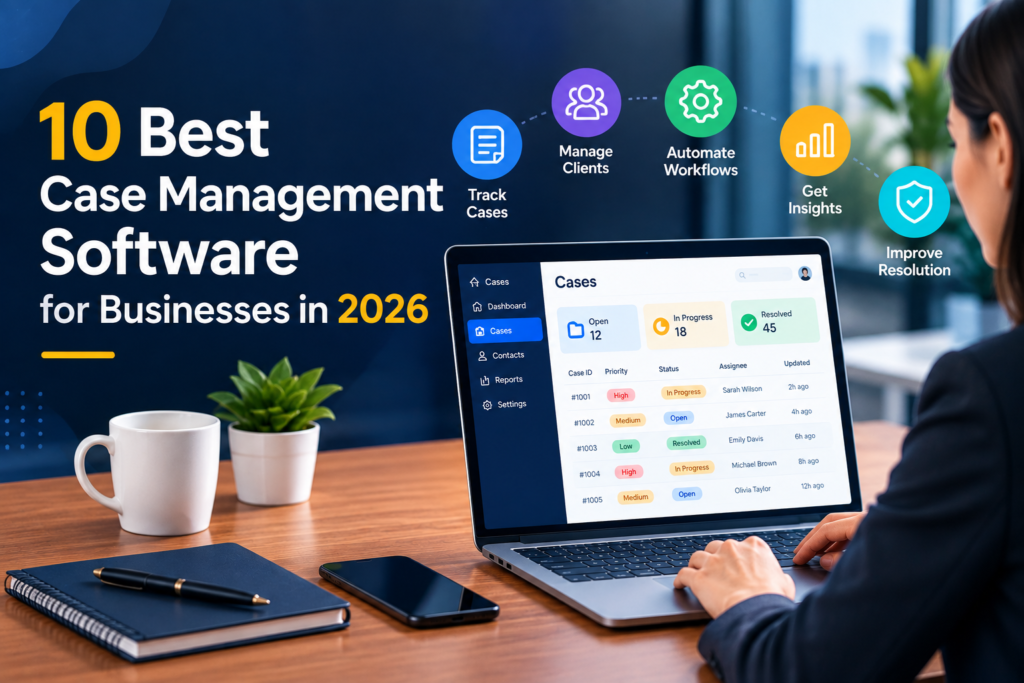
Businesses today often deal with complex customer requests, complaints, investigations, service issues, escalations, and internal cases. Managing these processes through spreadsheets, emails, and disconnected systems can make it difficult to maintain visibility and accountability. Case Management Software provides a structured way to capture, assign, track, investigate, and resolve cases from a central platform.
Modern case management platforms can automate workflows, monitor deadlines, organise case information, and provide reporting for managers. Some also use artificial intelligence to classify cases, identify risks, summarise information, and recommend next steps. This guide explores 10 case management solutions businesses can consider in 2026.
What Is Case Management Software?
Case Management Software helps organisations manage cases throughout their lifecycle. A case might involve a customer complaint, fraud investigation, employee request, service problem, compliance issue, or operational incident.
Instead of keeping information across multiple emails and spreadsheets, teams can create a central record containing relevant communications, documents, tasks, ownership, deadlines, and resolution history.
Common capabilities include case intake, assignment, workflow automation, collaboration, escalation management, SLA tracking, reporting, audit trails, and integrations with CRM or service platforms.
10 Best Case Management Software Solutions in 2026
1. ResolveCX
ResolveCX is an AI-native resolution governance platform designed to manage complaints, cases, escalations, problems, and incidents. It combines intelligent classification, automated routing, sentiment analysis, SLA risk detection, agent assistance, workflow automation, and auditable case records. Organisations dealing with complex resolution processes can consider ResolveCX when evaluating platforms that connect case management with escalation and problem resolution.
2. Salesforce Service Cloud
Salesforce Service Cloud provides case management within a broader CRM ecosystem. Teams can centralise customer information, track cases, automate service workflows, and monitor interactions. Its extensive integration options make it suitable for organisations already using Salesforce across sales and customer operations.
3. ServiceNow Customer Service Management
ServiceNow Customer Service Management provides tools for managing customer cases and connecting them with enterprise workflows. Businesses can coordinate work across departments, automate processes, and maintain visibility into complex service issues.
4. Zendesk
Zendesk is widely used for customer service and support operations. Its ticketing and workflow capabilities allow teams to assign cases, monitor progress, manage communications, and report on service performance. It can be a practical option for organisations that primarily need structured customer support case management.
5. Microsoft Dynamics 365 Customer Service
Microsoft Dynamics 365 Customer Service includes case management, customer records, automation, analytics, and integrations with Microsoft’s business ecosystem. It may be particularly suitable for enterprises that already rely heavily on Microsoft technologies.
6. HubSpot Service Hub
HubSpot Service Hub combines service management with CRM functionality. Teams can manage customer cases, automate repetitive activities, maintain customer records, and analyse service performance. Its integration with other HubSpot tools can be useful for organisations seeking a connected customer platform.
7. Zoho Desk
Zoho Desk provides ticket and case management, automation, reporting, and multi-channel customer support capabilities. It can help businesses organise customer requests and create consistent workflows for assigning and resolving cases.
8. Freshdesk
Freshdesk provides help desk functionality including ticket management, automation, reporting, and collaboration. Businesses moving away from manual email-based case handling may find its structured approach useful for everyday service cases.
9. Jira Service Management
Jira Service Management offers configurable workflows, issue tracking, automation, and service management capabilities. Although commonly associated with IT operations, its flexible workflow model can also support organisations managing more complex internal cases.
10. Oracle Service
Oracle Service provides customer service and case management capabilities as part of Oracle’s broader enterprise technology ecosystem. Organisations with complex business processes can use its tools to manage customer interactions, automate service workflows, and connect case information with other enterprise systems.
How to Choose the Right Case Management System
Selecting a Case Management System requires more than comparing the number of features offered by each vendor. Businesses should first understand their specific workflows and operational requirements.
1. Identify Your Case Types
Start by listing the cases your teams handle. Customer complaints, investigations, service requests, compliance cases, and internal issues may require different workflows.
2. Review Workflow Automation
Look for configurable rules that can automatically assign cases, trigger tasks, send notifications, and escalate cases when deadlines or risk thresholds are reached.
3. Check Reporting and Visibility
Managers should be able to see open cases, ageing cases, resolution times, SLA performance, workload, recurring issues, and other relevant trends.
4. Evaluate Integrations
Consider whether the platform integrates with CRM systems, email, contact centres, collaboration tools, identity systems, and other applications already used by your organisation.
5. Consider Security and Governance
For sensitive cases, evaluate access controls, audit trails, retention policies, permissions, and reporting capabilities. These requirements can become especially important in regulated industries.
The Role of Case Management Software Services
Implementing a platform is only part of improving case operations. Case Management Software Services can support organisations with implementation, configuration, integrations, workflow design, migration, training, and ongoing optimisation.
The most effective implementation usually starts with the existing business process. Teams should identify unnecessary manual steps, define ownership, establish escalation rules, and determine which activities can safely be automated.
Practical Steps Before Choosing a Platform
Before committing to a case management software, create a shortlist based on your most important requirements. Then test each platform using realistic cases rather than relying only on product demonstrations.
For example, create a sample case, assign it to a team, add supporting information, trigger an escalation, monitor its SLA, and close the case. This practical test can reveal workflow limitations that may not be obvious during a standard demonstration.
It is also useful to involve the people who will actually use the system. Feedback from customer service agents, managers, investigators, compliance teams, and IT staff can help ensure the selected platform works across departments.
Conclusion
The right Case Management Software can give businesses greater control over complex workflows while reducing manual administration and improving accountability. The best choice depends on factors such as case volume, workflow complexity, integrations, security requirements, reporting needs, and available resources.
Businesses should evaluate solutions based on real operational scenarios rather than simply selecting the platform with the longest feature list. By mapping current processes, testing realistic cases, and planning implementation carefully, organisations can build a more consistent and transparent approach to case resolution.
If your organisation is reviewing case management platforms in 2026, start by documenting your current workflows and identifying the areas where automation, visibility, and stronger governance could deliver the greatest improvement.