Buying your first cutting machine is an exciting step into the world of crafting. Whether you want to create personalized gifts, custom shirts, stickers, home décor, or products for a small business, choosing the right ecosystem can make a big difference in your creative journey.
Cricut is one of the most recognized names in the crafting industry, thanks to its beginner-friendly approach and large user community. However, as many makers gain experience, they often realize that a cutting machine is more than just hardware. The software, design flexibility, workflow, and ability to grow with your skills are equally important.
This is why many creators compare Cricut with Silhouette America before making a long-term investment.
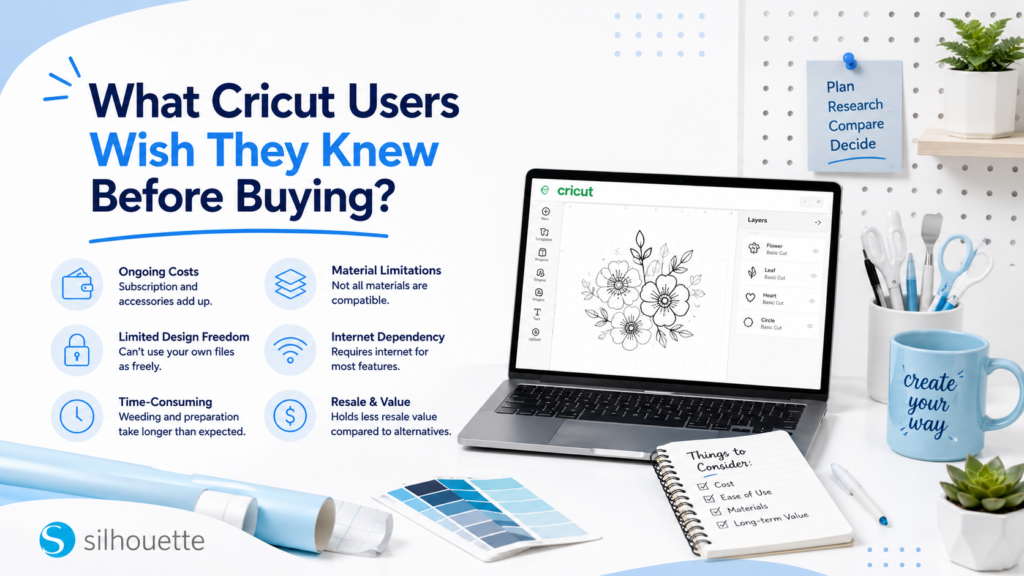
Here are some important lessons many Cricut users wish they knew before buying.
1. Software Matters as Much as the Machine
A cutting machine can only be as flexible as the software behind it.
Your software affects how easily you can:
- Create original designs
- Customize artwork
- Edit files
- Prepare projects
- Manage complex layouts
- Produce professional results
Cricut Design Space® focuses on providing a simple, guided project experience, which works well for beginners creating straightforward projects.
However, as creators become more experienced, many want deeper control over their designs.
Silhouette Studio® offers a more design-focused workflow with tools such as:
- Vector editing
- Image tracing
- Point editing
- Layers
- Offset creation
- Shape modification
- Typography controls
- Precise alignment
For makers who want to move from using designs to creating their own, Silhouette provides more room to grow.
2. You May Want More Than Ready-Made Designs
Many beginners start with pre-designed projects, and that is a great way to learn.
However, after creating a few projects, many makers start asking:
- Can I change this design?
- Can I adjust the lettering?
- Can I combine multiple files?
- Can I create my own version?
This is where creative flexibility becomes important.
The Silhouette Design Store provides a wide range of digital assets, including:
- Cut files
- Fonts
- Stickers
- Labels
- Print & Cut designs
- Seasonal artwork
- Paper crafts
Creators can use these designs as a starting point and customize them further inside Silhouette Studio®.
3. Personalization Becomes a Major Part of Crafting
Many people buy cutting machines for simple DIY projects and later discover that customization is the most valuable feature.
Personalized products such as:
- Custom shirts
- Name decals
- Wedding items
- Personalized gifts
- Business labels
- Stickers
often require frequent changes.
Silhouette Studio® makes it easier to modify:
- Names
- Fonts
- Sizes
- Layouts
- Design elements
For creators selling custom products, this flexibility can save significant time.
4. Print & Cut Is More Important Than Expected
Many beginners initially focus on vinyl projects but later discover the possibilities of Print & Cut.
This workflow is widely used for:
- Sticker sheets
- Product labels
- Planner stickers
- Packaging designs
- Printable decorations
Successful Print & Cut projects require more than printing and cutting. Creators often need control over:
- Cut borders
- Offsets
- Registration
- Artwork placement
- Sheet layouts
Silhouette Studio® provides detailed tools for preparing Print & Cut projects, making it a strong choice for sticker makers and product-based businesses.
5. Your Crafting Goals Can Change Quickly
One of the biggest surprises for new makers is how quickly their interests expand.
A first project might be a simple vinyl label.
Later, you may want to create:
- Custom apparel
- Stickers
- Large decals
- Wedding décor
- Business branding
- Home décor products
This is why choosing a platform that can grow with your skills is important.
Silhouette provides beginners with simple entry points while offering advanced tools when creators are ready to explore more complex projects.
6. Small Businesses Need More Control
Many craft businesses begin as hobbies.
A creator makes gifts for friends, receives more requests, and eventually starts selling products.
At that point, efficiency becomes important.
Businesses need tools that help with:
- Repeated orders
- Customer personalization
- Material optimization
- Production workflows
- File management
Silhouette Studio® Business Edition provides advanced capabilities designed for growing businesses, including:
- Multi-cutter support
- Automatic nesting
- Expanded file compatibility
- Production-focused tools
These features help creators move from casual crafting toward more efficient production.
7. File Compatibility Can Become Important
Many beginners do not think about file formats when purchasing a machine.
However, businesses and designers often work with:
- Customer logos
- Brand artwork
- Purchased designs
- Professional design files
As projects become more advanced, file flexibility matters.
Silhouette Studio® offers expanded file support through upgraded editions, helping creators integrate artwork from different sources into their workflow.
8. Consider Long-Term Costs
The cost of a cutting machine goes beyond the initial purchase.
Creators may also invest in:
- Designs
- Software features
- Accessories
- Materials
Cricut offers Cricut Access™, a subscription service that provides access to additional content and benefits.
Silhouette provides a flexible approach by offering:
- Free access to Silhouette Studio® Basic Edition
- Optional one-time software upgrades
- Individual design purchases through the Silhouette Design Store
This allows creators to decide how they want to invest in their crafting journey.
9. Advanced Creators Often Want More Freedom
Many makers eventually move from asking:
“Can I make this?”
to:
“Can I create this exactly how I imagine it?”
That shift requires more control.
Advanced creators often want to:
- Modify designs
- Build original artwork
- Adjust small details
- Create custom layouts
- Optimize production
Silhouette Studio® supports this creative progression by giving users more control over the design process.
10. Choose a Machine You Won’t Outgrow
The best cutting machine is not only the one that helps you complete your first project. It is the one that continues supporting your creativity years later.
Cricut remains a strong option for users who prefer a simplified, guided workflow.
However, many creators explore Silhouette because they want:
- Greater design freedom
- More customization options
- Advanced editing tools
- Flexible production workflows
- Better support for growing businesses
Why Many Makers Consider Silhouette
Most creators do not switch ecosystems because their original machine suddenly stops working. They switch because their creative goals become bigger.
They want:
- More control over designs
- More personalization options
- Better production efficiency
- Software that grows with their skills
The Silhouette ecosystem provides this through:
Silhouette Cutting Machines
Designed for projects ranging from beginner crafts to advanced creative applications.
Silhouette Studio®
A flexible design platform that supports both simple projects and advanced customization.
Silhouette Design Store
A large collection of digital designs that can be personalized and adapted for different projects.
Together, these tools create a complete workflow for hobbyists, designers, and small businesses.
Final Thoughts
Choosing a cutting machine is not only about what you want to make today. It is about choosing a platform that supports where your creativity may take you tomorrow.
Cricut offers a beginner-friendly experience and remains a popular choice among many makers. However, creators who want more design control, deeper customization, and the ability to grow from hobby crafting into more advanced projects often find Silhouette America to be a strong alternative.
With the flexibility of Silhouette Studio®, the creative resources available through the Silhouette Design Store, and versatile cutting machines designed for different crafting needs, Silhouette gives makers the freedom to create, customize, and grow with confidence.